
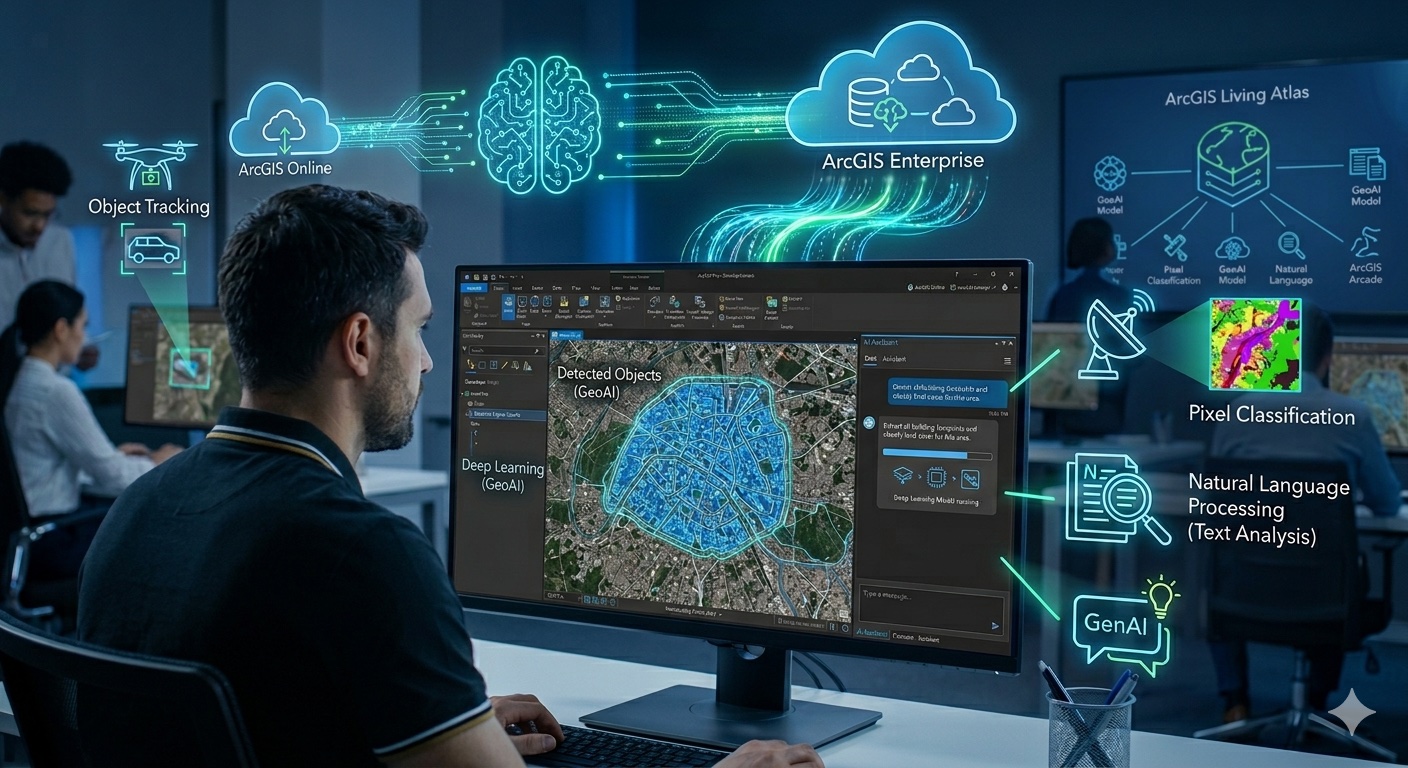
Esri has been steadily weaving artificial intelligence into the fabric of the ArcGIS platform. What started over a decade ago with machine learning tools for clustering and classification has evolved into a comprehensive ecosystem spanning deep learning, natural language processing, generative AI assistants, and pretrained models. Whether you work primarily in ArcGIS Pro, ArcGIS Online, or across both, there’s a growing set of AI capabilities available to you right now.
This article provides a survey of the major AI tools and features currently available across the ArcGIS platform as of early 2026.
Two Categories of AI in ArcGIS
Before diving into specific tools, it helps to understand how Esri organizes AI across the platform. There are two broad categories:
GeoAI refers to the integration of machine learning and deep learning with geospatial data for analytical and scientific purposes. This includes object detection in imagery, feature extraction, pixel classification, predictive modeling, and natural language processing of text data. GeoAI tools are designed for analysts and data scientists who need to extract insights from spatial data.
Generative AI and AI Assistants represent the newer wave of AI in ArcGIS. These are conversational, natural language interfaces embedded directly into ArcGIS applications. They’re designed to boost productivity and lower the barrier to entry for common GIS tasks.
GeoAI Tools in ArcGIS Pro
The GeoAI Toolbox
The GeoAI toolbox is a collection of geoprocessing tools for training and using AI models with geospatial and tabular data. Think of it as the no-code/low-code entry point for AI in ArcGIS Pro — you interact with these capabilities through the standard geoprocessing tool interface rather than writing Python. The toolbox spans several toolsets covering a range of AI-driven workflows:
- Feature and Tabular Analysis — Uses automated machine learning to train, fine-tune, and create ensembles of the best ML models for your data. These tools handle both classification (categorical predictions) and regression (continuous predictions) without requiring you to manually select and configure neural network architectures.
- Text Analysis — Provides tools for working with unstructured text using NLP techniques. You can use and fine-tune pretrained text models from ArcGIS Living Atlas, or work with models created using the ArcGIS API for Python’s
arcgis.learnmodule. ArcGIS text workflows support transformer-based NLP models and integrate with Hugging Face-based architectures for tasks like entity recognition, text classification, and text translation. - Imagery AI — Tools for deep learning workflows with imagery, including preparing training data, running inferencing, and working with pretrained models for object detection, pixel classification, and feature extraction.
- Time Series AI — Tools for applying deep learning and machine learning techniques to temporal and spatiotemporal data for forecasting and pattern detection.
For users who need more control, the arcgis.learn module in the ArcGIS API for Python serves as the pro-code counterpart to the GeoAI toolbox. It provides the same deep learning capabilities in a scriptable Python environment, giving data scientists full programmatic access to model training, fine-tuning, and inferencing workflows.
Image Analyst Extension and Deep Learning
The Image Analyst extension is where much of ArcGIS Pro’s deep learning capability lives. It provides a complete workflow for imagery-based AI: preparing training data, training object detection or pixel classification models, and running model inferencing on new imagery. Key geoprocessing tools include Detect Objects Using Deep Learning, Classify Pixels Using Deep Learning, and Export Training Data for Deep Learning.
You can train your own custom models or use Esri’s pretrained models. While CPU processing is technically supported, practical deep learning workflows in ArcGIS Pro effectively require a supported NVIDIA CUDA-capable GPU. Esri’s documentation recommends a minimum of 4 GB of dedicated GPU memory, though for newer foundation models like the Segment Anything Model (SAM) and its variants, 8 GB or more of VRAM is strongly recommended for reasonable performance. The Deep Learning Libraries Installer is required to install the necessary deep learning framework dependencies before using any of the deep learning geoprocessing tools.
Pretrained Deep Learning Models in ArcGIS Living Atlas
One of the most practical AI resources Esri offers is its library of pretrained deep learning models hosted in ArcGIS Living Atlas of the World. Esri now offers more than 100 pretrained models covering a wide range of tasks:
- Image Feature Extraction — Building footprint extraction, road extraction, solar panel detection, swimming pool detection, palm tree detection, and more
- Pixel Classification — Land cover classification at various resolutions (high, medium, and low-resolution imagery)
- Point Cloud Classification — Classifying features like trees and power lines from LiDAR data
- Image Redaction — Blurring sensitive areas in imagery for privacy compliance
- Object Tracking — Tracking objects across video frames
- Change Detection — Generating change maps from time series data
- Hugging Face Integration — Deep learning packages that integrate pretrained Hugging Face models (such as image classification models) directly into ArcGIS workflows
These models are available to anyone with an ArcGIS account and can be used in ArcGIS Pro, ArcGIS Online (via ArcGIS Image for ArcGIS Online), and ArcGIS Enterprise (via Image Server). They eliminate the need for large training datasets, extensive compute resources, and deep AI expertise to get started with deep learning workflows. Models can also serve as a starting point for fine-tuning with your own local geography or features of interest.
Foundation Models: SAM and Beyond
A particularly significant development in Esri’s pretrained model library is the inclusion of geospatial foundation models. Unlike the older task-specific models that are trained for a single purpose (e.g., detecting only swimming pools or only building footprints), foundation models are designed to generalize across domains without additional training.
The most prominent example is Meta’s Segment Anything Model (SAM), which Esri has packaged as a deep learning package (DLPK) for use directly within ArcGIS. SAM uses zero-shot learning to segment objects in imagery — meaning it can identify features it was never specifically trained on. Esri has also extended SAM’s capabilities with Text SAM, which combines SAM with a text-grounding model to let users extract specific features from imagery using text prompts (e.g., “buildings” or “roads”), and SAMLoRA, which applies low-rank adaptation to fine-tune SAM on your own data with minimal training samples.
Beyond SAM, Esri’s Living Atlas now includes remote sensing foundation models such as IBM and NASA’s Prithvi model (with fine-tuned variants for burn scar segmentation, flood mapping, and crop classification) and the Dynamic One-For-All (DOFA) model, a multimodal foundation model designed to process diverse Earth observation data modalities within a unified framework.
These foundation models represent a fundamental shift in how GIS professionals can interact with imagery — from laborious manual digitizing and task-specific model training toward prompt-based and zero-shot feature extraction. For a deeper look at how the latest version of SAM fits into GIS workflows, see our article Meta’s SAM 3: A Game-Changer for GIS Feature Extraction.
Python Notebooks and the ArcGIS API for Python
ArcGIS Pro’s built-in Python Notebooks (based on Jupyter) provide direct access to the broader Python data science ecosystem, including libraries like scikit-learn, TensorFlow, Keras, pandas, and NumPy. The ArcGIS API for Python includes the arcgis.learn module, which provides functions specifically designed for deep learning workflows with geospatial data.
This gives advanced users the flexibility to build custom ML/DL pipelines while still leveraging ArcGIS data management and cartographic tools for the final output.
AI Assistants Across ArcGIS
Esri has been rapidly deploying AI assistants — conversational, natural language interfaces — across its product line. These assistants use generative AI to help users accomplish tasks more efficiently. The following covers the major assistants available as of the February 2026 release, though Esri continues to add new assistant experiences and this list is not exhaustive.
ArcGIS Pro Assistant (Beta)
The ArcGIS Pro Assistant is embedded directly in the desktop application and includes five modes:
- ArcGIS Pro Help — Ask questions about ArcGIS Pro documentation in natural language and receive conversational answers
- Perform Actions — Trigger actions in your current Pro session, such as styling layers, zooming to content, selecting features, opening geoprocessing tools with preset parameters, and managing renderers and tables
- ArcPy Code Generation — Generate Python code snippets using the ArcPy site package from natural language prompts, ready to use in Notebooks, the Python window, or an external IDE
- Graph Query — Generate openCypher queries for knowledge graph schemas
- Query Layer — Create query layers by generating SQL queries for database connections and table schemas
The assistant is extensible — developers can build and register custom actions using the ArcGIS Pro SDK, triggered by natural language input. If you want to learn how to use AI assistants to generate Python scripts for automating ArcGIS Pro workflows, check out our course Automating ArcGIS Pro Tasks with AI-Generated Python Code.
ArcGIS Arcade Assistant (Beta)
Available in Map Viewer, Web Editor, Scene Viewer, Field Maps Designer, and Experience Builder, this assistant helps you write Arcade expressions using natural language. It supports popups, labels, visualizations, field calculations, renderers, and aggregate field expressions like clustering or binning.
ArcGIS Notebooks Assistant (Beta)
New in the February 2026 release, this in-app coding assistant explains, generates, and troubleshoots Python code within ArcGIS Online Notebooks. It can provide line-by-line walkthroughs of existing code, generate new Python code leveraging the ArcGIS API for Python or ArcPy, and help diagnose and fix errors.
ArcGIS StoryMaps Assistant (Preview)
Previously in beta, the StoryMaps assistant has graduated to preview status. It includes four key tools: a Writing assistant for refining tone and structure, an Insights assistant providing readability and estimated reading time metrics, an Accessibility assistant that suggests descriptive alternative text for images, and a Theme assistant that generates cohesive color and font combinations from written prompts or uploaded reference images.
ArcGIS Business Analyst Assistant (Preview)
This assistant uses natural language prompts to help complete common Business Analyst tasks faster, including generating reports, building color-coded maps, and comparing sites.
ArcGIS Survey123 Assistant (Preview)
The Survey123 assistant lets users transform ideas into structured survey questions using natural language prompts in a conversational interface. Users can generate and refine surveys directly within the Survey123 web designer.
ArcGIS Solutions Assistant (Beta)
Introduced in February 2026, this assistant helps organizations find and deploy the right ArcGIS Solutions configurations for their needs across government, utilities, defense, public safety, telecommunications, and other sectors. It identifies appropriate solutions and provides guidance on deployment and use.
Documentation Assistant
Esri has also introduced a documentation-focused assistant experience to help users navigate and find answers within ArcGIS documentation more efficiently through natural language queries.
ArcGIS Hub Assistant (Beta)
Available with ArcGIS Hub Premium, this assistant is embedded within Hub sites and lets signed-in users explore datasets using natural language. It interprets questions and returns answers with related spatial data displayed on a map. Note that users must be signed in to access the assistant, even on public-facing Hub sites — a design decision that helps organizations manage compute costs and prevent anonymous bot traffic from consuming their GenAI allocation.
ArcGIS for Teams Assistant (Beta)
This assistant brings ArcGIS into Microsoft Teams, providing step-by-step guidance, search results, and data recommendations through natural language prompts — all without leaving the Teams environment.
Item Details Assistant (Beta)
Available in both ArcGIS Online and ArcGIS Enterprise, this assistant suggests titles, summaries, descriptions, tags, and attribute field details for your items, improving metadata quality and content discoverability.
Additional Assistants
Esri’s assistant ecosystem continues to grow. Other assistant experiences include the Translation assistant and the Instant Apps assistant, among others. The pace of new assistant releases has been rapid, and it’s worth checking Esri’s AI assistant blog posts for the latest additions.
AI for Developers
Beyond the end-user tools and assistants, Esri is also surfacing AI capabilities for developers. The ArcGIS Maps SDK for JavaScript now includes AI components (in beta) that allow web developers to integrate assistant-style experiences into custom applications. Combined with the ability to build custom ArcGIS Pro assistant actions through the Pro SDK, developers have growing options for embedding AI into their own GIS workflows and applications.
Trust, Governance, and Admin Controls
As AI becomes more embedded in ArcGIS, Esri has built governance and administrative controls to go with it. Organizations can control AI assistant access through a role-based privilege system introduced in the February 2026 release, giving administrators direct control over who can use AI assistants. ArcGIS Online provides org-level opt-in settings so that administrators can enable or disable AI assistants for their organization.
Esri has also published Trusted AI resources outlining their approach to security, privacy, transparency, fairness, reliability, and accountability in AI across the platform. For organizations in regulated industries or with strict data governance requirements, these resources are worth reviewing before enabling AI assistants.
ArcGIS GeoAnalytics for Microsoft Fabric
Esri’s AI story extends beyond its own platform. ArcGIS GeoAnalytics for Microsoft Fabric, now generally available, is a Spark-native library that brings geospatial analytics directly into Microsoft Fabric’s data science and data engineering workloads. It enables spatial analysis alongside enterprise data in the cloud, supporting pattern discovery, data enrichment, and integration with Microsoft’s broader AI and analytics ecosystem.
Where Things Are Headed
The trajectory is clear: AI is becoming a core part of how you interact with ArcGIS, not an add-on or extension. Esri is embedding AI at every level — from foundation models that can extract features from imagery with zero-shot prompts, to conversational assistants that let you style a layer or generate Python code by simply asking. Esri is also increasingly exposing assistants, skills, custom actions, and agent-style components across the platform, pointing toward a future where AI can orchestrate multi-step spatial workflows with minimal user intervention.
For GIS professionals, the practical takeaway is that AI fluency is becoming an increasingly important skill. Whether you’re using SAM to segment features from drone imagery, leveraging the GeoAI toolbox for predictive analytics, or simply asking the ArcGIS Pro assistant to help you write an Arcade expression, these tools are designed to make you more productive.
A note on costs and licensing: many AI assistants are currently available in beta or preview without direct credit consumption, though some content-generation workflows (such as generating full StoryMaps drafts or processing metadata for many items at once) may consume credits. It’s also important to note that several AI capabilities require specific ArcGIS products, license levels, or extensions such as Image Analyst, the Advanced license level, Spatial Analyst, or Hub Premium. Check Esri’s documentation for the specific licensing requirements of the tools you plan to use.
