
Learn more about ArcGIS Pro in one of our upcoming ArcGIS Pro Bootcamps or our live-online classes.
ArcGIS Pro 3.6 introduces a small but mighty addition that will make attribute management noticeably smoother: the Calculate Field toolbar. If you spend any significant time working with attribute tables, this new feature deserves your attention.
What’s Changed?
Previously, making attribute changes across multiple rows required opening the Calculate Field geoprocessing tool. While functional, this workflow added friction when you needed to make quick calculations or iterate through several fields.
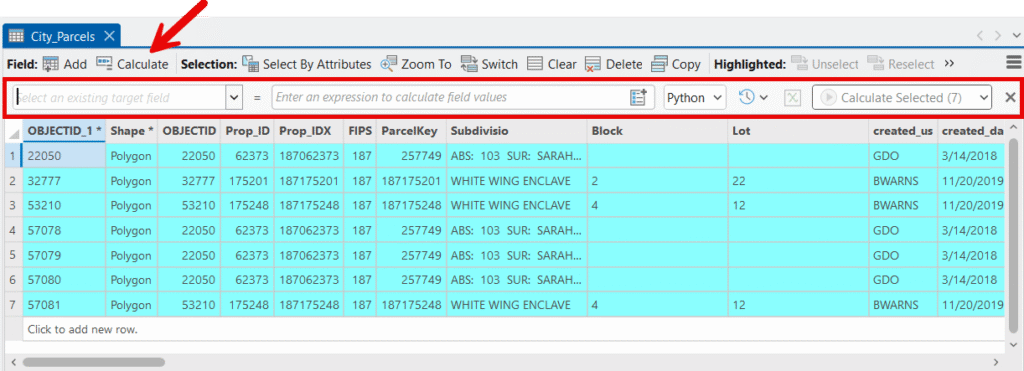
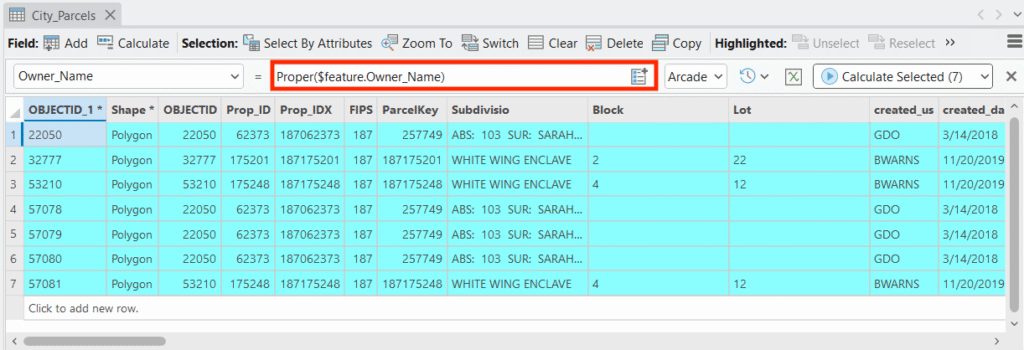
The new Calculate Field toolbar brings this functionality directly into the attribute table interface. It appears as an in-table toolbar that stays accessible while you work, eliminating the constant back-and-forth between the table and geoprocessing pane.
Key Features
Inline Expression Building
The toolbar provides a streamlined expression builder right where you need it. You can construct Python, Arcade, or SQL expressions without leaving your attribute table view, making the process feel more immediate and connected to your data.
Field Selection at Your Fingertips
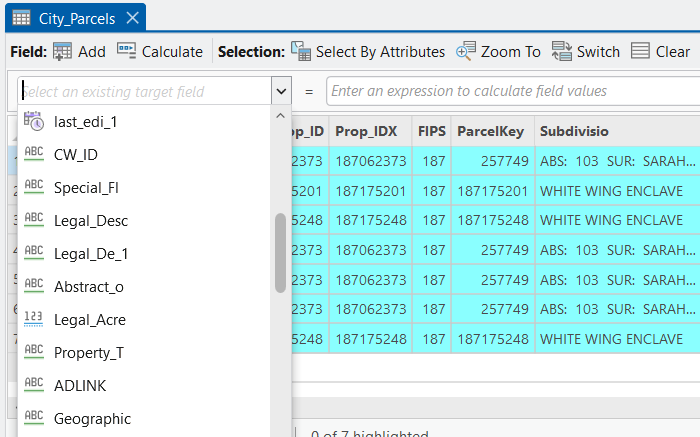
A dropdown lets you quickly select your target field, and the toolbar intelligently presents relevant fields and functions based on your selection. This context-aware approach reduces errors and speeds up common operations.
Expression History
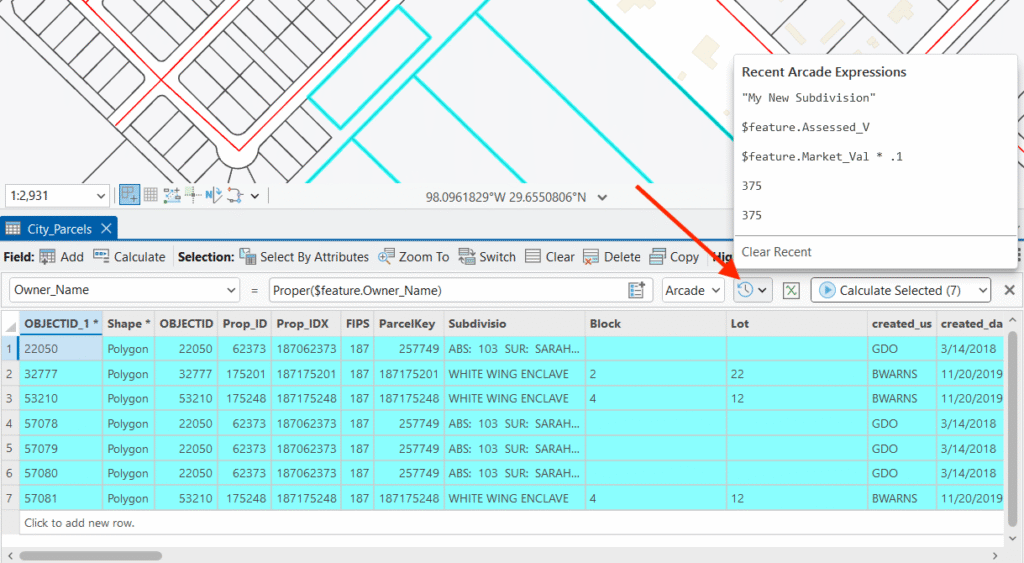
One of the more practical additions is access to your recent expressions. If you find yourself applying similar calculations across different projects or returning to a calculation you used earlier in a session, this feature saves real time.
Seamless Access to the Full Interface
When you need more horsepower, the Expressions button opens the complete Calculate Field interface. This gives you the best of both worlds: quick access for straightforward calculations and one-click access to the full tool when your expression requires code blocks, helper functions, or more complex logic. You never have to choose between convenience and capability.

Working With Selection Sets
The Calculate Field toolbar respects your current selection set, giving you precise control over which records receive calculated values.
When Records Are Selected
If you have an active selection in your layer, the calculation applies only to those selected records. This is particularly useful when you need to update a subset of your data based on specific criteria. Select your features using any method—interactive selection, Select By Attributes, Select By Location—and the toolbar calculation will honor that selection. The unselected records remain untouched.
When No Records Are Selected
Without an active selection set, the calculation applies to every record in the table. This is the behavior you want when populating a new field or applying a universal update across your entire dataset.
A Word of Caution
This selection-aware behavior is powerful but demands attention. Before running a calculation, take a moment to confirm whether you have a selection set—especially if you intend to update all records. A quick glance at the table’s status bar showing your selection count can prevent unintended partial updates. Conversely, if you only want to update certain records, verify your selection is in place before clicking Apply.
Practical Applications
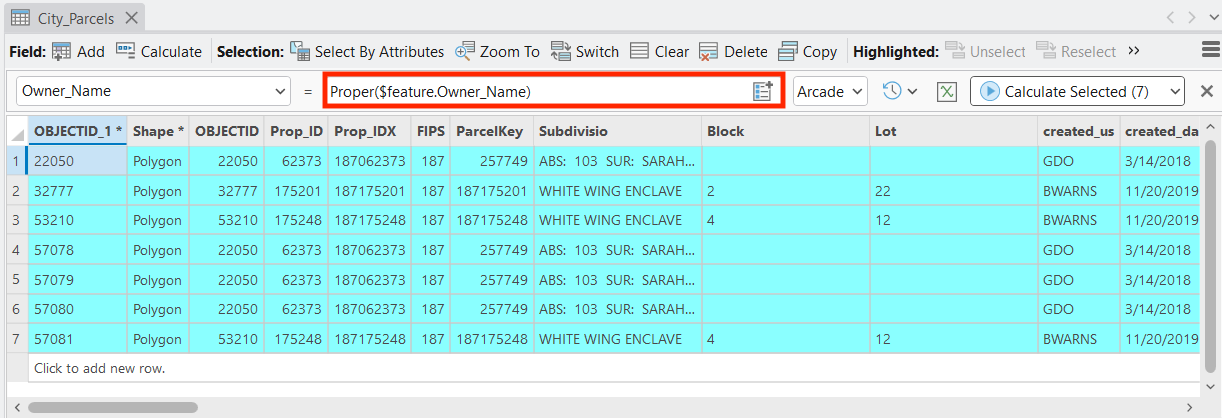
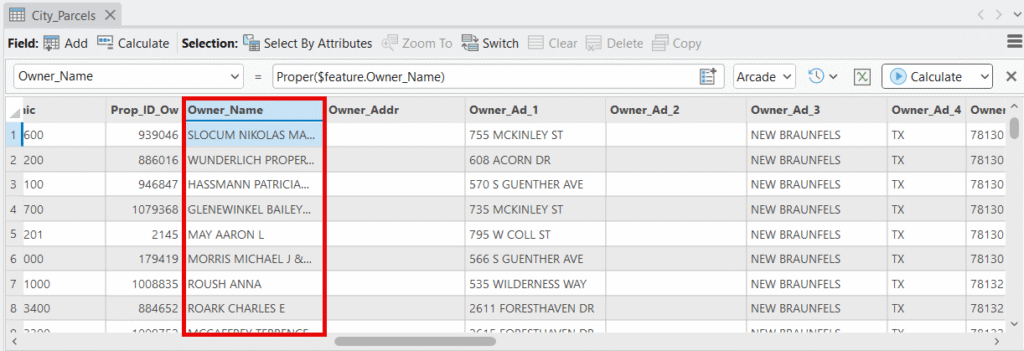
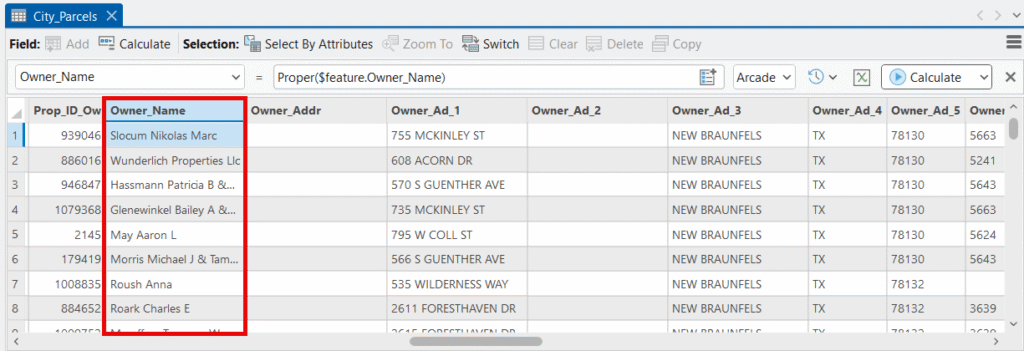
In the screenshot below there is no selection set applied to the City Parcels layer. We’ve used the Calculate Field toolbar to change the contents of the OWNER_NAME field from all uppercase to proper case. The screenshots show the before and after.
A Smarter Workflow
The real value is flexibility. Simple tasks like populating a field with a constant value, copying values from another field, or basic string concatenation can happen instantly in the toolbar. When the job demands more—conditional logic, geometry calculations, or multi-line code blocks—the Expressions button puts the full tool one click away.
This design acknowledges how we actually work: most field calculations are simple, but we occasionally need the full toolkit. Now the interface matches that reality.
Final Thoughts
This addition reflects Esri’s continued attention to the day-to-day experience of working in ArcGIS Pro. It’s not a headline feature, but for those of us who live in attribute tables, it’s the kind of improvement that accumulates into meaningful time savings over weeks and months of work.
